
Quick question: how many rounds of revisions did your last campaign asset go through?
Many marketing teams can’t tell. And that’s because the number is either quite high or because nobody was counting in the first place.
Revisions are a normal part of making content. Nobody expects a first draft to go live untouched. But if it feels like everyone in the campaign is weighing in and it’s getting hard to keep track of what changed and why, your content revision process probably isn’t well-defined.
Content Marketing Institute research found a third of B2B marketers name managing workflow and content approvals as a top challenge, and 40% struggle to communicate across organizational silos.
In this blog, we’ll show you how to build a content revision process that works across multiple content types and campaigns.
What Is Content Revision in Marketing?
Content revision in marketing is the process of reviewing and improving a marketing asset before it’s published or distributed. It can involve correcting errors, refining the message, adjusting the design, checking brand consistency, and confirming that the content supports campaign goals.
Content Revision vs. Content Editing
Content revision and content editing are often used interchangeably, and while they both focus on improving content assets, ultimately they address different parts of the process. Here are the key differences: ⬇️
| Content edits | Content revisions | |
| What it is | Small changes to improve the content | A round of changes based on review feedback |
| Who makes them | The writer, designer, or editor | The creator, after a reviewer asks for changes |
| When they happen | While the content is being made | After someone has reviewed it |
| Typical example | Fixing a typo, tightening a caption, swapping an image | Legal department asks for a disclaimer, or branding team asks for a different tone |
Alright, so how do you know if you have a content revision problem? Let’s look at the warning signs.
Signs Your Content Revision Process Isn’t Working
A few rounds of revisions are normal, but constant confusion, delays, and repeated mistakes usually point to a broken process.
Here are five signs your team’s approach needs some attention:
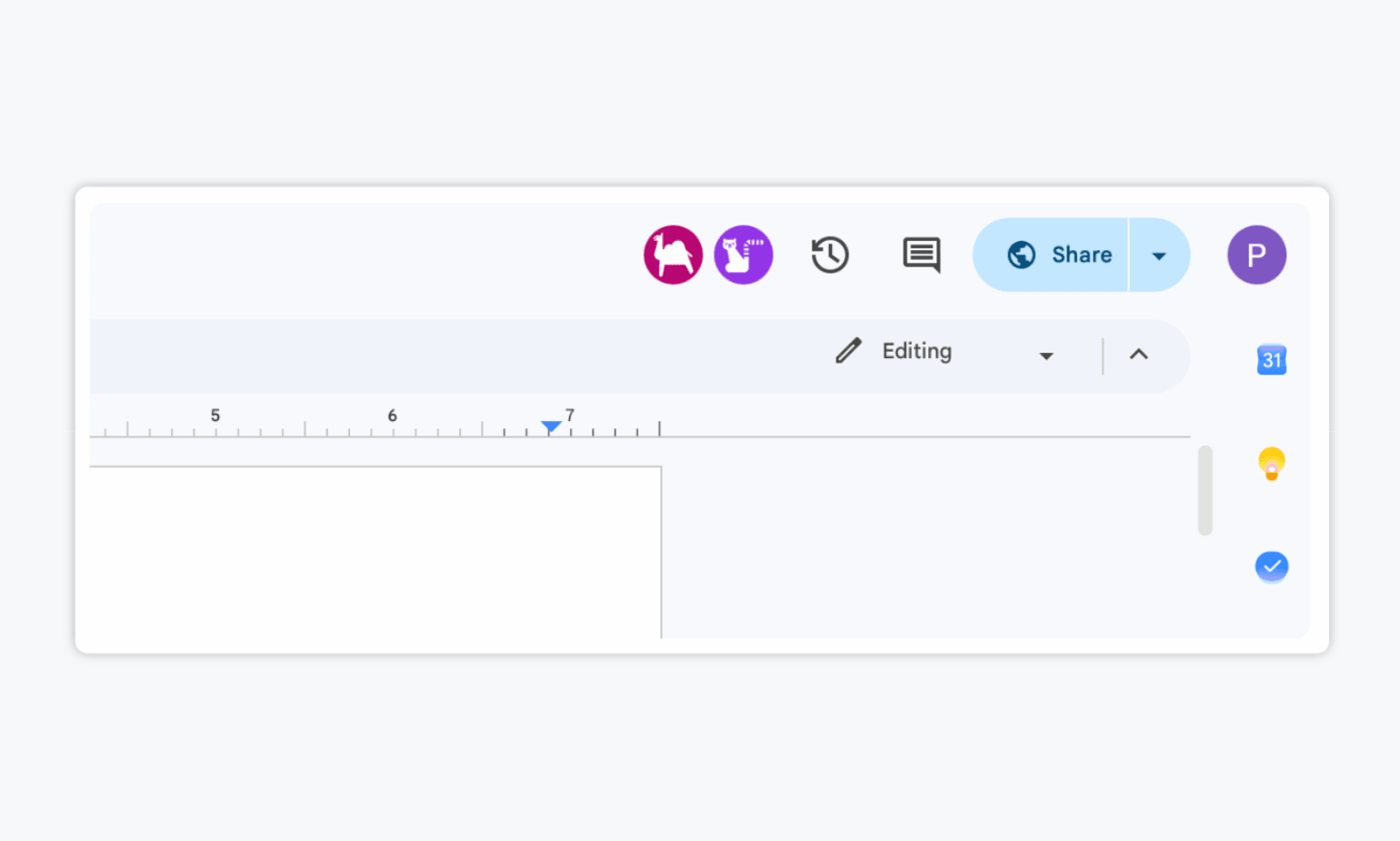
- Feedback is scattered across different channels. Comments arrive through email, Google Docs suggestions (raise your hand if you love seeing multiple anonymous Google animals appear in your document 🙋♂️), or spreadsheets, making it easy for requests to get lost or overlooked.
- Multiple versions of the same asset are circulating. Team members edit outdated files or struggle to identify the latest version, leading to duplicated work and missing changes.
- Feedback is vague or contradictory. Reviewers leave vague comments or request changes that conflict with one another, leaving creators unsure about what to do next.
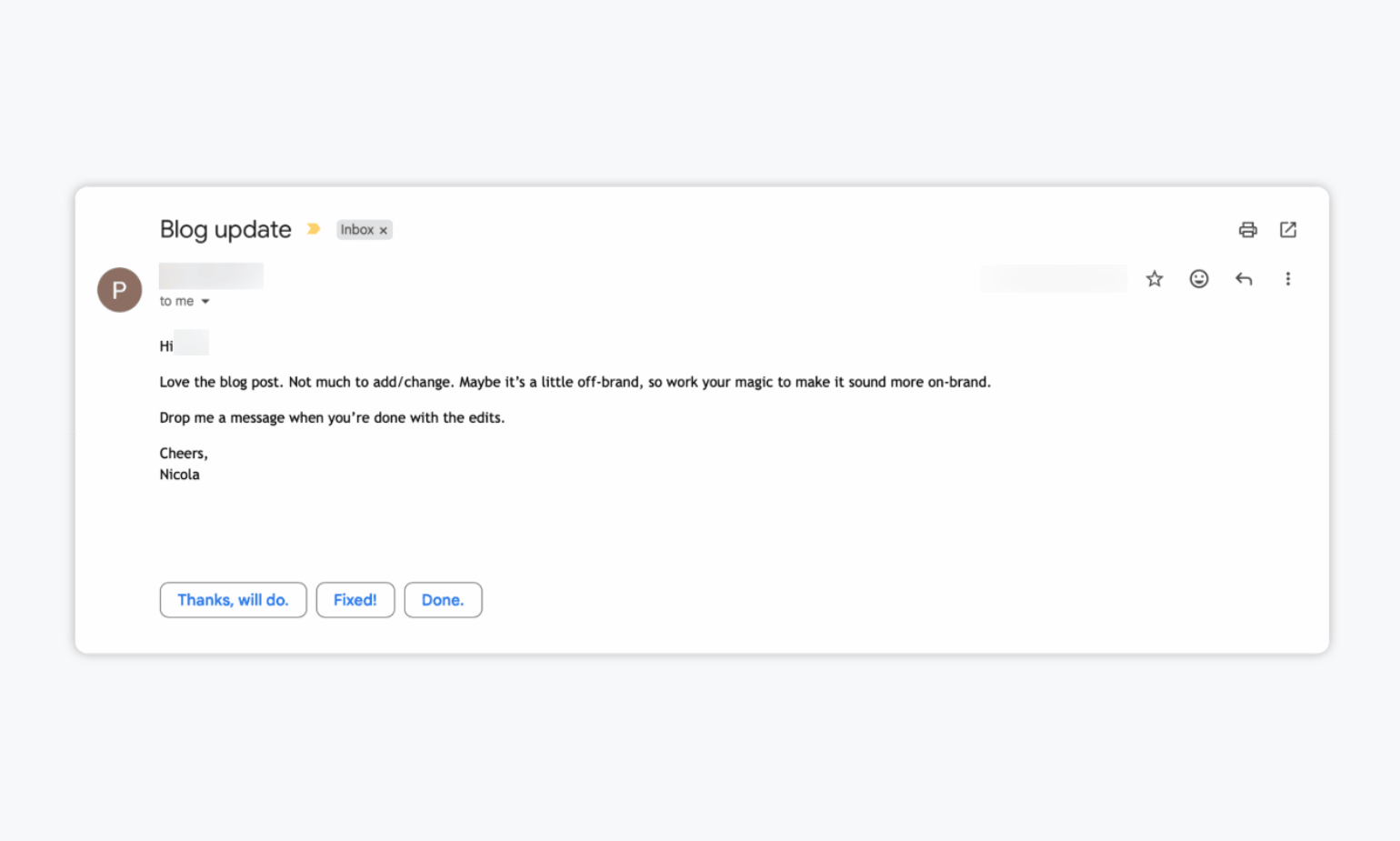
- Projects get stuck in endless revision rounds. New requests keep appearing after each update because expectations, decision-makers, or approval criteria were never clearly defined.
- Deadlines are regularly missed. Slow responses, unclear responsibilities, and last-minute changes create bottlenecks that delay approval and publication.
How to Build a Foolproof Content Revision Process
A reliable content revision process gives everyone a clear path from the first draft to final approval. It should define what reviewers need to check, where they should leave feedback, when they need to respond, and who makes the final call.
Use the following checklist to build a process that keeps revisions focused and projects moving:
1. Start With a Detailed Creative Brief
Before anyone begins creating content, make sure the team understands what the asset needs to accomplish. Spending time to create a strong brief reduces the risk of major revisions caused by unclear expectations.
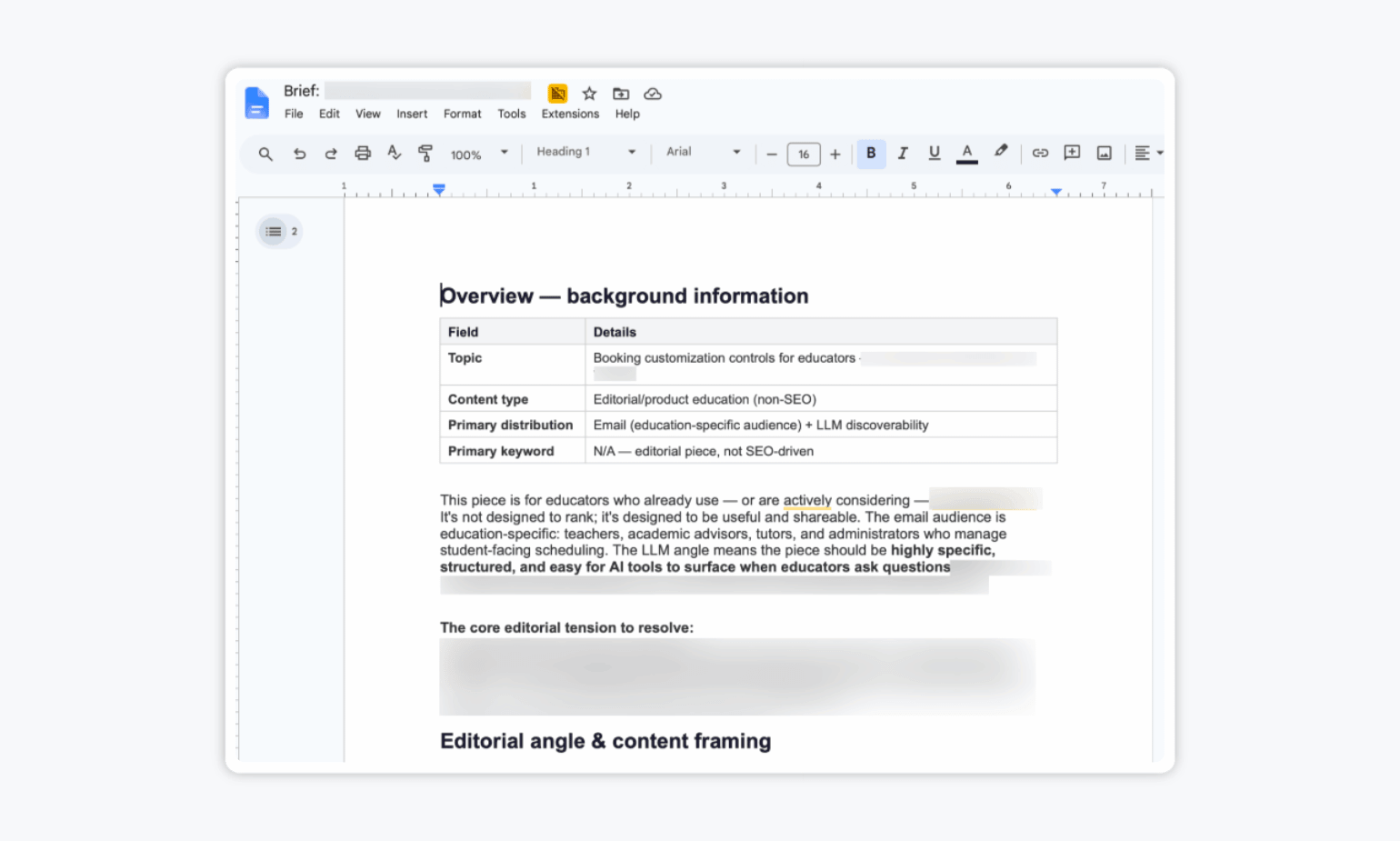
Your brief should cover:
- The campaign goal
- The intended audience
- The key message
- The content format and distribution channel
- Brand voice and visual requirements
- Required claims, links, or calls to action
- Examples or reference materials
- Deadlines for creation, review, and publication
The more specific the brief is, the easier it’ll be for reviewers to evaluate the finished asset objectively.
💡 Pro tip: Include one example of content that matches the intended direction. A visual reference or past campaign can communicate expectations more clearly than several paragraphs of instructions.
2. Decide Who Needs to Review the Content
Not every stakeholder needs to review every asset. Too many reviewers can create conflicting feedback and lead to longer approval times.
Choose reviewers based on what the content requires. A social media post may only need approval from a marketing manager, while a product campaign might also require input from legal, brand, and product teams.
For each project, identify:
- The content creator
- The reviewers and their areas of responsibility
- The person responsible for resolving conflicting feedback
- The final approver
Make sure everyone knows their role before the first draft is shared.
3. Establish Clear Review Criteria
Reviewers should know what they’re expected to evaluate. Without clear criteria, feedback can quickly turn into a collection of personal preferences.
Create a checklist that reflects the goals and requirements in the brief. Depending on the asset, reviewers might need to confirm:
- The message supports the campaign goal
- The content is appropriate for the intended audience
- The copy and visuals follow brand guidelines
- Names, prices, dates, links, and claims are accurate
- Required legal language is included
- The call to action is clear
- The asset meets platform specifications
4. Keep Every Asset and Comment in One Place
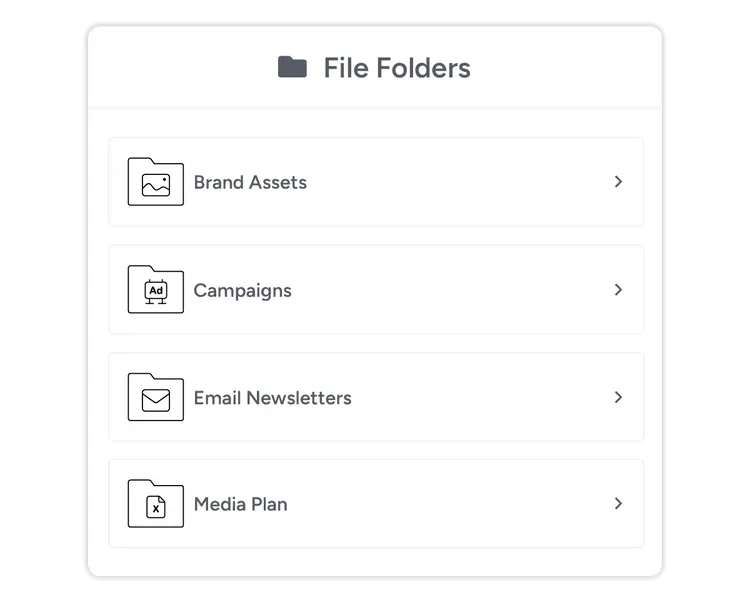
Feedback becomes difficult to manage when comments are spread across different places. Choose one location where reviewers can view the asset, leave comments, and check its status.
Your central review space should allow the team to:
- Access the latest version of the asset
- Leave feedback directly on the relevant copy, image, or video frame
- See comments from other reviewers
- Track whether requested changes have been addressed
- Review previous versions when needed
A content approval platform like Gain can keep assets, feedback, revisions, and approvals together, giving everyone a shared view of the project.
5. Set Guidelines for Useful Feedback
Feedback should tell the creator what needs to change and why. Vague comments leave too much room for interpretation.
Ask reviewers to:
- Make each comment specific and actionable
- Explain how the requested change supports the brief
- Point to the exact part of the asset that needs attention
- Separate required changes from optional suggestions
- Review existing comments before adding duplicate feedback
For example, instead of saying, “The tone is off,” a reviewer could write, “Replace this technical phrase with simpler language because the campaign is aimed at first-time customers.”
6. Set Deadlines for Each Review Round
A publication deadline isn’t enough. Every stage of the review process should have its own due date so the team knows when feedback and revisions are expected.
Set deadlines for:
- Submitting the first draft
- Completing the initial review
- Making requested revisions
- Completing the final review
- Giving final approval
- Publishing or distributing the asset
Allow enough time for meaningful review, but avoid leaving feedback windows open indefinitely. Automated reminders can also help reviewers respond before they become a bottleneck.
Many marketing project management tools let you set deadlines for different actions, so it’s worth taking advantage of this feature.
7. Track Versions and Revision Decisions
Use a consistent system to prevent team members from reviewing or editing outdated files. Each version should be clearly labeled, dated, and connected to the feedback that prompted it.
Make sure your process records:
- Which version is currently under review
- What changed between versions
- Which comments have been resolved
- Who requested or approved major changes
- Which version received final approval
This history makes it easier to answer questions later and prevents previously rejected ideas from reappearing in another round.
💡 Pro tip: Avoid filenames such as “final,” “final2,” or “final-final.” Use a consistent naming system with the asset name, version number, and date so reviewers can quickly identify the current file.
8. Complete a Final Check Before Approval
Once revisions are finished, review the asset one last time against the original brief. This stage should confirm that requested changes were made without introducing new errors.
Before approving the content, check that:
- All required feedback has been addressed
- The final copy and design match
- Facts, links, dates, and claims are accurate
- Brand and legal requirements have been met
- The correct file or version is approved
- The asset is ready for its intended platform
Once the final approver signs off, lock the approved version and move it to publication. Gain, for example, automatically publishes all approved social media posts. However, if it’s a blog post or landing page, you might need to publish it manually.
How Gain Simplifies Content Revisions
Even a well-designed revision process can become difficult to manage when assets, comments, and approvals live in different places. Gain brings the entire process together, giving content creators, internal reviewers, and external stakeholders one place to review work and track approval activity.
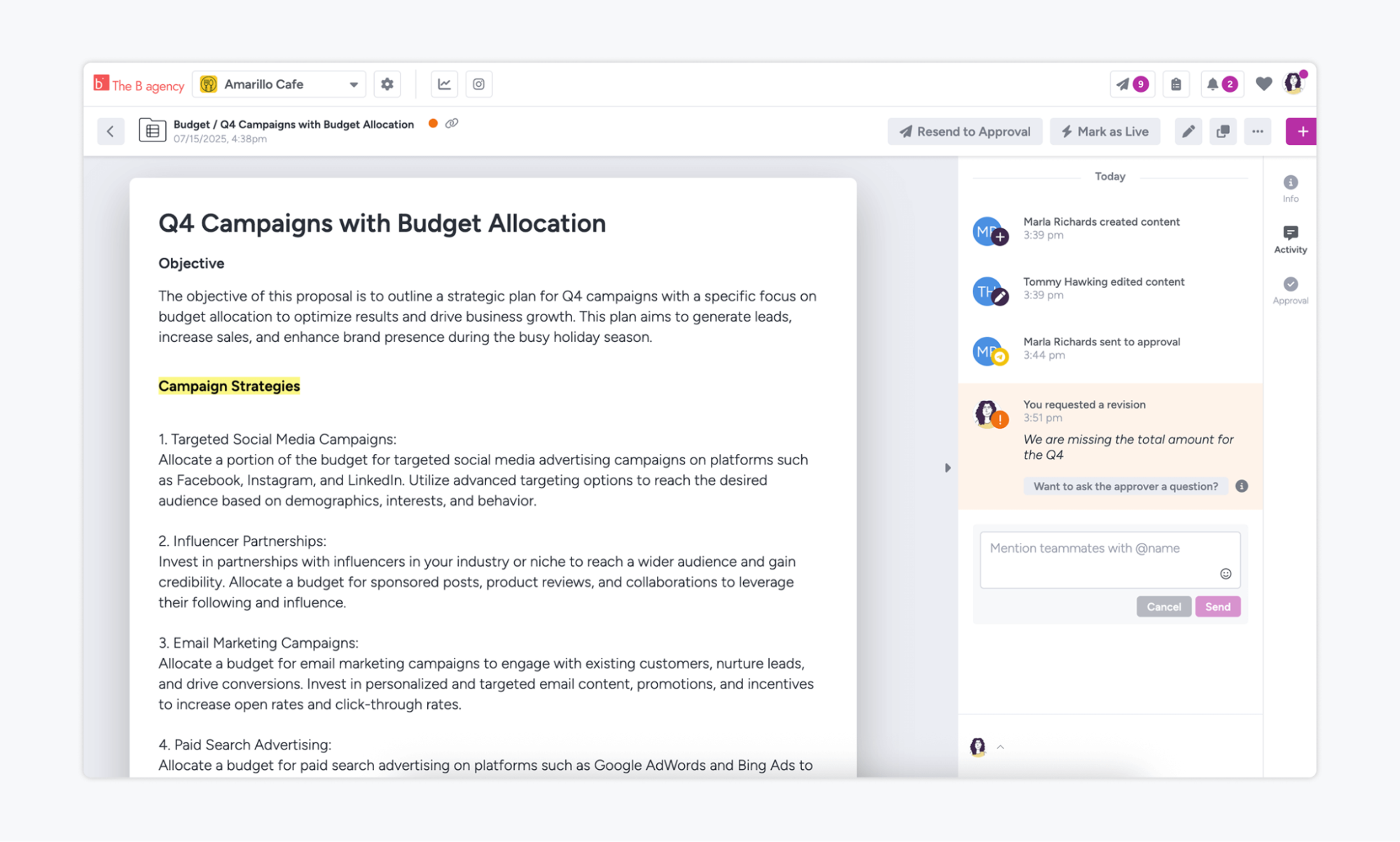
When a reviewer requests a change, the asset’s status automatically moves from Pending Approval to Revision Requested. The content owner and anyone following the asset or workspace receive email and in-app notifications, so the right people know when action is needed.
Gain also makes feedback easier to understand. Reviewers can add annotations directly to files, such as images and documents, pointing to the exact element they want changed. There’s also an Activity tracker, which is essentially a running record of everything that happens to a piece of content—revision requests, questions, and approvals. Having all of this at your disposal helps replace vague instructions with clear, contextual feedback.
Once everyone has approved the final version, eligible social media posts can be automatically scheduled and published. The result is a more organized revision process with clearer feedback, fewer missed changes, and less time spent chasing reviewers.
Make Content Revisions Easier for Everyone
Content revisions don’t have to mean endless feedback threads and conflicting requests. By taking time to define clear roles, specific review criteria, and one place to manage feedback, your team can spend less time untangling comments and more time creating stronger content.
Ready to simplify revisions and approvals? Start your free Gain trial and bring your content, feedback, and reviewers together in one place.