
Do your content edit requests look something like this?
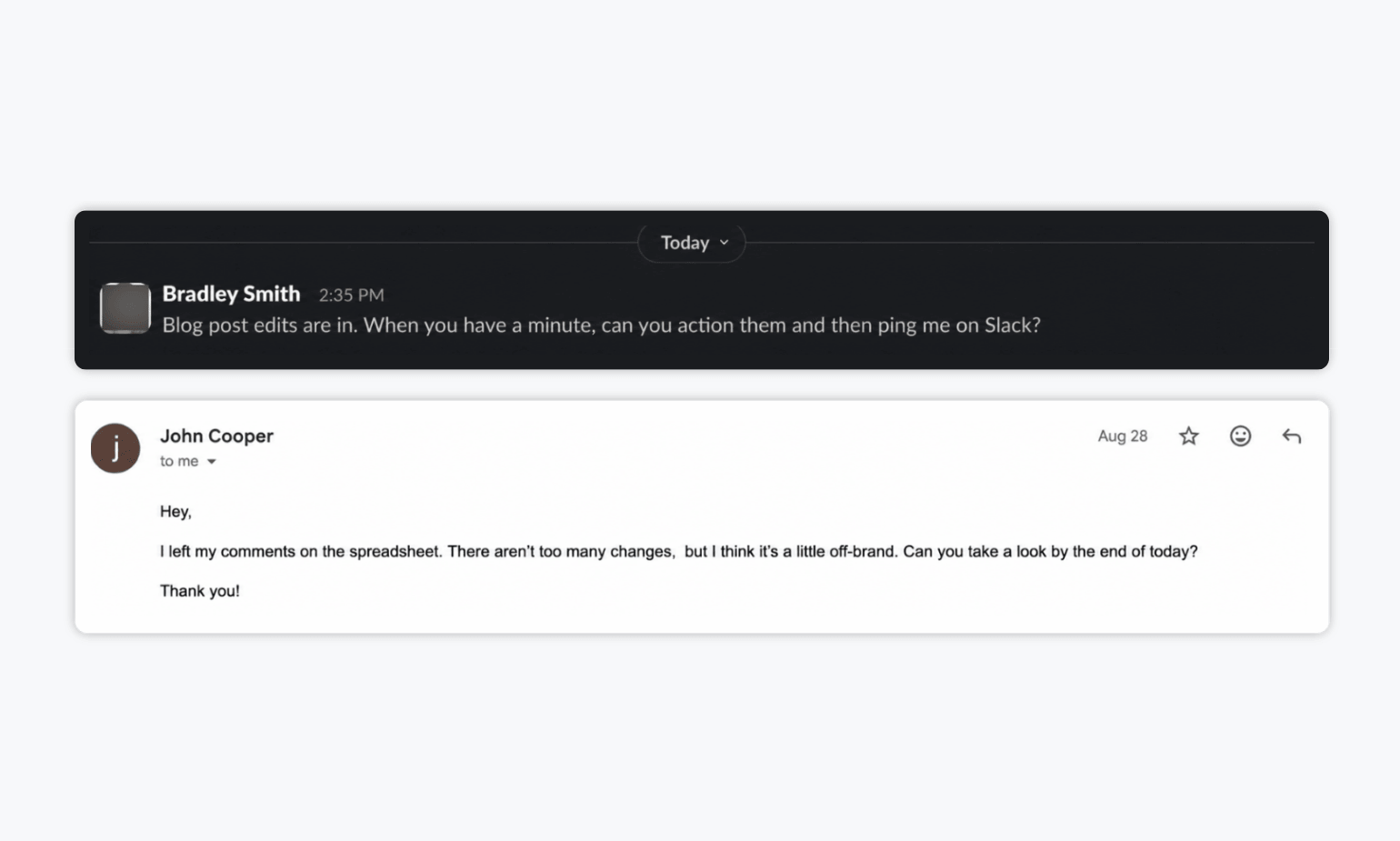
You get a Slack message saying, “Blog post edits are in. Can you action them and ping me when you’re done?” Or an email pointing you to a spreadsheet with a few comments, a note that something feels “a little off-brand,” and a request to turn the changes around by the end of the day.
It’s all well and good. The feedback got delivered. You know there are edits to make.
But for most marketing teams, that isn’t really a process.
If content edit requests are scattered across Slack, email, docs, and spreadsheets, it gets much harder to track what needs changing, whose feedback takes priority, and which version is actually final.
In this guide, you’ll learn how to build a better process for managing stakeholder feedback and edit requests without creating more confusion, unnecessary back-and-forth, or extra admin for your team.
Telltale Signs Your Content Feedback and Edit Request Process Is Broken
Not every messy content review process looks obviously broken. Sometimes, it just creates small points of friction that repeat with every piece of content. A few signs to watch for:
❌ Feedback lives in too many places. Comments are spread across Slack, email, docs, spreadsheets, and meeting notes, so someone has to piece everything together before making changes.
❌ Nobody knows which comments are suggestions and which are mandatory. A casual idea from one reviewer can carry the same weight as a required legal or brand change.
❌ Edit requests keep trickling in. New comments arrive after revisions have already started, creating extra rounds of work and making it harder to know when feedback is complete.
❌ Nobody is quite sure when the edits are actually done. Comments may be resolved, but there’s no clear point where everyone agrees the latest version is ready to move forward.
5 Rules for Managing Content Edit Requests Without the Chaos
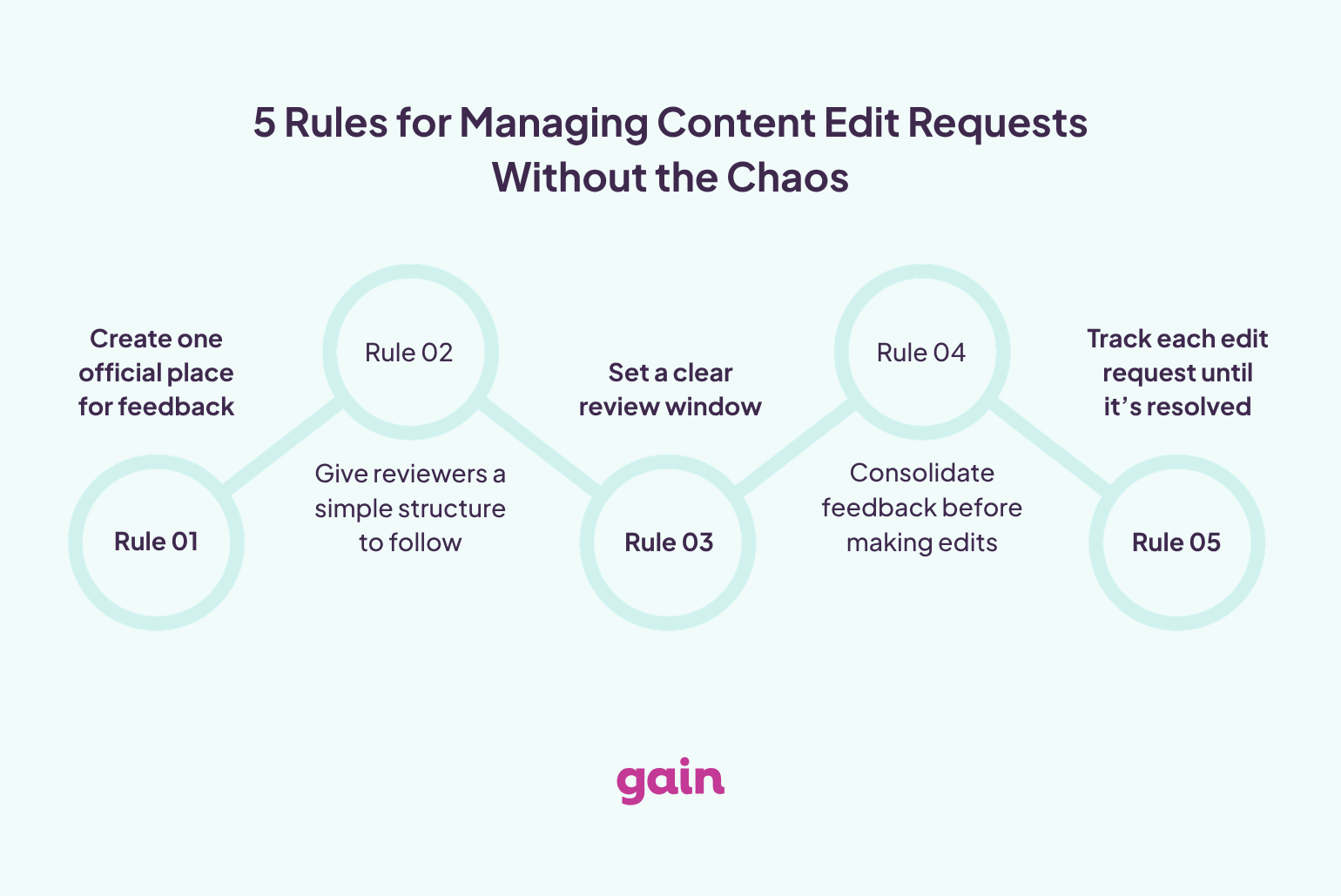
Alright, so how do you actually keep edit requests from turning into a mess? Start by putting a few simple rules around how feedback is collected, prioritized, and actioned.
1. Create One Official Place for Feedback
The biggest improvement you can make is to stop letting feedback live everywhere.
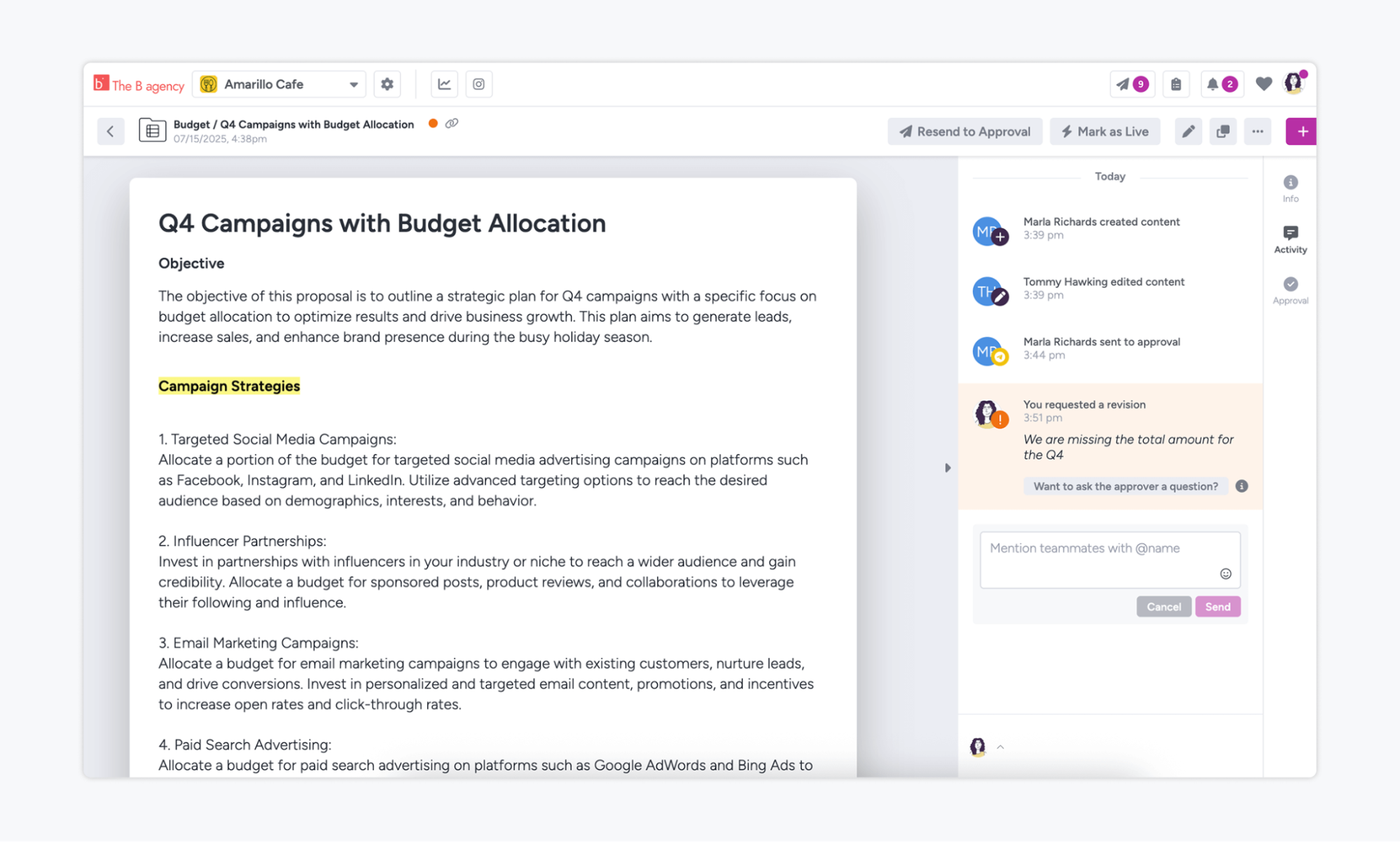
Pick one place where reviewers are expected to leave comments. That might be directly on the document or asset itself, or inside a marketing content approval tool where feedback, revisions, and approvals can all stay together.
The important part is consistency. If someone sends a change request in Slack or email, don’t let that become a parallel review thread. Redirect it to the agreed review location so there’s still one source of truth.
For teams reviewing lots of different content types, this is much easier with a tool built for the job. Gain, for example, lets you keep feedback on social posts, files, documents, videos, and other marketing content alongside the content itself, rather than piecing comments together across different channels. That way, when it’s time to make changes, you’re working from one complete set of feedback instead of hunting through different tools to figure out what still needs to be done.
2. Give Reviewers a Simple Structure to Follow
You can’t control exactly how every stakeholder gives feedback, but you can make it easier for them to give useful feedback.
Instead of simply asking, “Any thoughts?”, give reviewers a little direction. For example, ask them to distinguish between:
- Required changes
- Optional suggestions
- Questions or clarifications
Giving a bit of guidance makes a big difference when you’re the person consolidating everything later. It also helps prevent a casual suggestion from being treated with the same urgency as a legal correction, brand requirement, or factual error.
3. Set a Clear Review Window
One of the hardest things to manage is feedback that never really stops.
If comments keep arriving one at a time, you can end up revising the same section three or four times simply because reviewers responded at different moments.
A better approach is to define a review window. Tell reviewers when feedback opens and when you plan to consolidate it.
For example:
“Please leave all comments on this version by Thursday afternoon. We’ll consolidate feedback and send the next revision on Friday.”
That gives you a clear point at which to move from collecting feedback to making edits.
There will always be exceptions, especially for urgent or high-risk changes, but the default should be to avoid an endless stream of requests.
4. Consolidate Feedback Before Making Edits
Receiving feedback and applying edits are two different jobs. Before editing anything, go through the full set of comments and look for:
- Duplicate requests
- Contradictory feedback
- Comments that refer to the same section
- Questions that need clarification
- Suggestions that don’t actually require a change
Then turn all of that into one clean set of actions.
This is especially important when several stakeholders are involved. If you start editing comment by comment as they arrive, you may make a change only to undo it five minutes later because another reviewer asked for the opposite.
5. Track Each Edit Request Until It’s Resolved
Once feedback has been consolidated, make sure every request has a clear status. At minimum, you should be able to tell whether a comment is:
- Still open
- Being worked on
- Resolved
- Rejected or not actioned
This prevents requests from disappearing halfway through a revision round and makes it easier to show reviewers what has actually changed.
Content Edit Requests: Dos and Don’ts
A good edit process depends just as much on how you handle incoming feedback as where you store it.
A few simple habits can keep requests from turning into another messy side conversation:
| Do’s 👍 | Don’ts 👎 |
| Redirect people to the agreed feedback location if they send edits by Slack or email | Let comments scatter across Slack, email, docs, and spreadsheets |
| Ask reviewers to separate required changes from suggestions | Treat every comment as equally important |
| Collect a full round of feedback before editing | Start making changes the second the first comment comes in |
| Flag conflicting requests and send them back to the relevant decision-maker | Try to choose between opposing comments yourself |
| Close the loop once edits are complete and ask for explicit sign-off | Assume the review is finished because nobody has said anything else |
FAQs
An edit request is a specific change someone asks to be made to a piece of content before it is finalized or published. It could involve copy, design, formatting, messaging, legal wording, branding, or factual accuracy. Edit requests can come from internal stakeholders, clients, managers, legal teams, or other reviewers.
The easiest way is to keep feedback, revisions, and approvals in one central place. Each edit request should have a clear status, such as open, in progress, resolved, or rejected, and reviewers should always work from the latest version. Avoid managing changes across Slack, email, and separate documents.
Marketing content approval tools can help teams centralize feedback, manage revisions, and keep approval decisions connected to the content itself. Gain is one option built specifically for marketing teams and agencies managing approvals across social posts, files, documents, videos, and other content types. Teams can collect feedback in one place, move content through customizable approval flows, and keep a record of revisions and sign-offs, making it easier to manage edits without relying on scattered messages or separate tools.
Wrapping Up
Managing content edit requests well comes down to having a process everyone can follow. Keep feedback in one place, give reviewers a clear way to comment, consolidate requests before revising, and make sure every edit is tracked through to resolution.
If your team is still piecing feedback together across Slack, email, docs, and spreadsheets, Gain can make that process much easier. It gives marketing teams and agencies one place to review content, collect feedback, manage revisions, and keep a clear record of approvals across social posts, files, documents, videos, and other marketing content.