Rebranding is one of the most significant decisions a company can make. Done well, it can reposition a business, attract new audiences, and breathe fresh life into something that has started to feel stale. Done badly, it can alienate loyal customers, generate headlines for all the wrong reasons, and cost a lot of money to undo.
The good news is that you can avoid the most common rebranding mistakes with the right process in place.
In this guide, we’ll walk you through everything you need to know about how to rebrand a company, from the early strategy decisions all the way through to the social media launch.
First Off, What Is Rebranding?
Rebranding is the process of changing how a company presents itself to the world. That can mean changing:
- Your company’s name
- Logo
- Color palette
- Tone of voice
- Overall positioning
It’s worth distinguishing between a full rebrand and a brand refresh. A brand refresh involves updating certain visual or messaging elements while keeping the core identity intact. A full rebrand signals a more fundamental shift in who the company is and what it stands for.
When Should a Company Rebrand?
Rebranding isn’t something to do on a whim. But there are some clear signals that the time might be right.
- Your brand feels outdated. If your visual identity or messaging feels like it belongs to a different decade, it might be holding you back with newer audiences.
- Your target audience has shifted. As companies grow, their ideal customer often changes. If your brand was built to speak to one segment but your business has moved on, your brand needs to move with it.
- You’ve pivoted or expanded your offering. If you now do significantly more, or something different, than when you started, your brand should reflect that.
- A merger or acquisition has changed the business. Combining two companies often means building a new identity that reflects the combined entity.
- You’re dealing with a reputation issue. Sometimes, a rebrand is a necessary step in moving a business forward after a period of negative press or a shift in public perception.
Real-world Rebranding Examples
Looking at brands that have been through a rebrand, both successfully and not, is one of the best ways to understand what the process really involves.
Rebrands That Went Well
Airbnb (2014)
Airbnb’s rebrand was a masterclass in strategic repositioning. The company shifted its messaging from “rent a room” to “belong anywhere,” introducing a new logo called the Bélo, designed to represent people, places, love, and Airbnb itself.
It was divisive at first, but the rebrand successfully communicated a bigger, more human vision that aligned with where the company was heading. The lesson: a great rebrand tells a story that goes beyond the visual.
Old Spice (2010)
Old Spice was a product many people associated with their grandfathers. The rebrand, built around a wildly entertaining ad campaign and a complete personality overhaul, turned it into one of the most talked-about brands of its time. It didn’t change the product. It changed how the brand showed up.
Brands That Weren’t That Successful
Tropicana (2009)
Tropicana redesigned its iconic packaging without warning, replacing the recognizable orange-with-a-straw image with a plain glass of juice. The response was swift. Sales dropped by nearly 20% in four weeks, and the company reverted to the original design. The lesson: don’t underestimate how much equity is tied up in visual recognition, especially for products with long-standing brand familiarity.
Gap (2010)
Gap unveiled a new logo to replace its iconic blue box design, and the reaction was immediate and overwhelmingly negative. Within a week, the company had reversed the decision entirely. It remains one of the most cited examples of what happens when a rebrand doesn’t bring the audience along for the journey. The lesson: how you communicate a rebrand matters almost as much as the rebrand itself.
How to Rebrand a Company: Step by Step
Right, so how do you rebrand a company without messing it all up? Here are the key steps you should follow: 👇
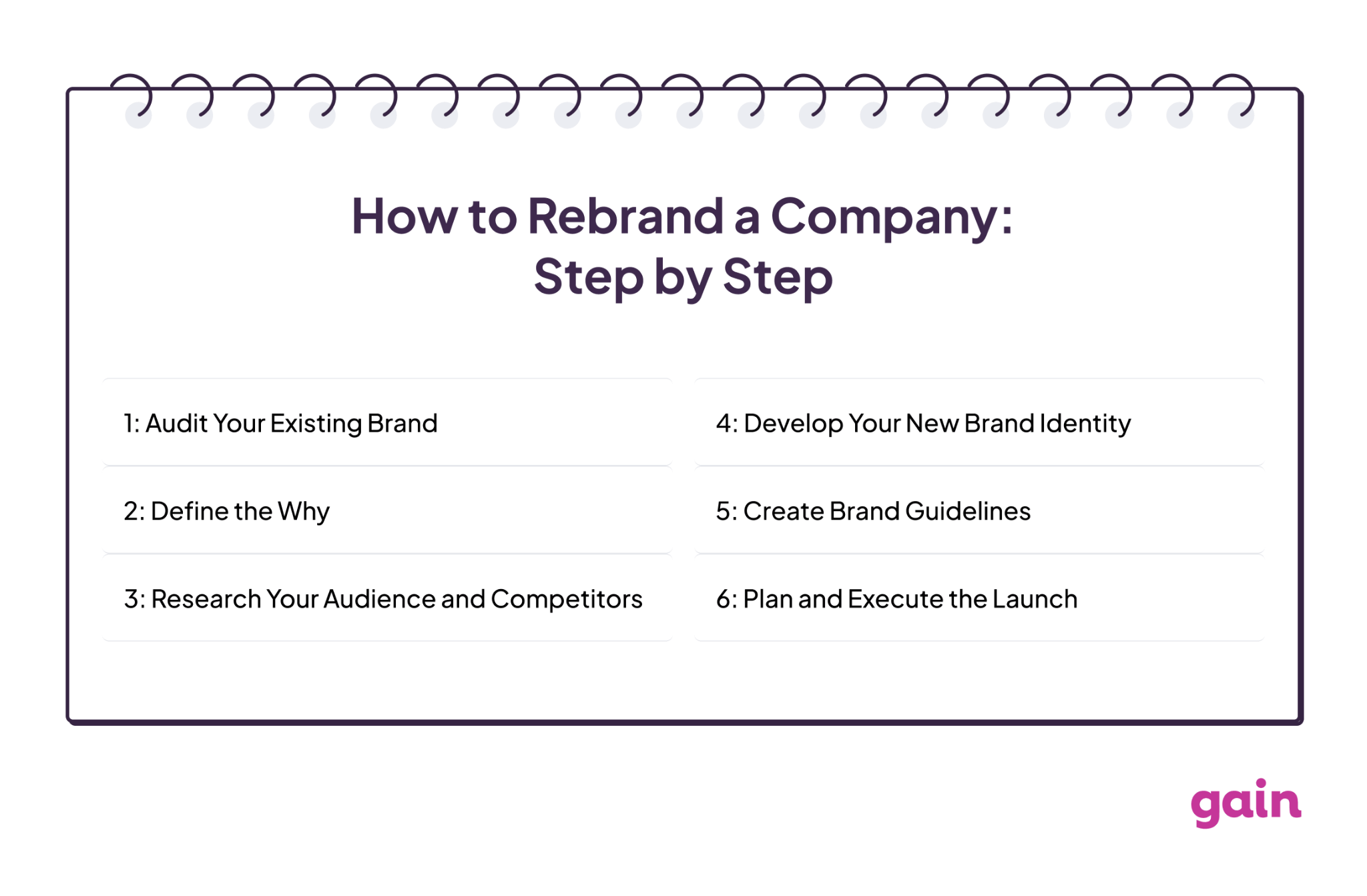
Step 1: Audit Your Existing Brand
Before you change anything, you need to understand what you’re working with. Conduct a thorough audit of your current brand: your visual identity, messaging, tone of voice, and how you’re perceived by your audience. Look at what’s resonating, what feels outdated, and what’s worth carrying forward.
This is also the time to gather honest feedback from customers, employees, and stakeholders. The more clearly you understand where you’re starting from, the more deliberate you can be about where you’re going.
Step 2: Define the Why
A rebrand without a clear reason behind it is a recipe for confusion, both internally and externally. Be specific about what you’re trying to achieve. Are you trying to reach a new audience? Reflect a new direction? Distance the business from something that no longer represents it? Your why will shape every decision that follows, from the visual identity to the messaging to how you communicate the change to your audience.
Step 3: Research Your Audience and Competitors
Don’t just map your direct competitors. Look at the brands your target audience loves in adjacent categories and ask why. Then plot your competitive landscape visually: put brands on axes like traditional vs. innovative or functional vs. aspirational, and look for the white space no one is owning. That’s often where the most compelling brand positioning lives.
The goal isn’t to be different for the sake of it. It’s to find the position that’s both genuinely yours and genuinely uncrowded.
Step 4: Develop Your New Brand Identity
Start with messaging before you touch visuals. If you can’t articulate who you are in words, a designer can’t translate it into a logo. When you do brief a designer, give them emotional goals rather than aesthetic preferences. “We want people to feel like they’re in safe, expert hands” will produce better work than “we want something clean and blue.”
And before anything is finalized, test it with real people outside your organization. Internal stakeholder approval is not the same as audience validation.
Step 5: Create Brand Guidelines
A new brand identity is only as strong as the consistency with which it’s applied. Build a clear set of brand guidelines that covers how every element of your identity should be used across every channel and format. This is especially important if you’re managing content across multiple social media accounts or working with an agency, since the guidelines are what keep everything aligned once the rebrand goes live.
Step 6: Plan and Execute the Launch
A rebrand launch needs to be coordinated across every touchpoint at the same time:
- Your website
- Social media profiles
- Email signatures
- Packaging
- Any other place your brand appears publicly
A staggered rollout, where some channels reflect the new brand while others still show the old one, creates confusion and undermines the impact of the change. Build a detailed launch plan, assign clear responsibilities, and make sure everyone involved knows exactly what they’re doing and when.
How to Announce a Rebrand on Social Media
Your social media channels are often the first place your audience will encounter the new brand, so the announcement needs to land well.
- Tease before you reveal. Building a little anticipation before the full launch can generate curiosity and make the announcement feel like a moment rather than a surprise.
- Explain the reasoning. Audiences are more accepting of change when they understand why it’s happening. Be transparent about what’s changed, and frame it in terms of what it means for them.
- Keep messaging consistent across all platforms. Inconsistent messaging during a rebrand launch is one of the most common and most damaging mistakes a team can make. If you’re coordinating content across multiple social channels at the same time, having everything planned, reviewed, and approved before it goes live is essential. That’s exactly where a tool like Gain helps. Gain lets your team manage all your rebrand content in one place, run it through a content approval workflow, and publish across channels in a coordinated way, so nothing slips through the gaps on launch day.
Common Rebranding Mistakes to Avoid
Even the most well-intentioned rebrands can go sideways, usually not because of the creative, but because of the process around it. Here are the most common mistakes to watch out for:
- Moving too fast. A rebrand that’s rushed is a rebrand that’s likely to miss something important, whether that’s gaps in the new identity, inconsistencies across channels, or a launch that isn’t fully coordinated. Take the time to do it properly.
- Inconsistent rollout across channels. If your website has the new brand but your social profiles still show the old one, it creates confusion. Everything should go live together.
- Rebranding for the wrong reasons. A rebrand is not a substitute for fixing underlying business problems, and it’s not something to do because you’re bored of your current look. Make sure the reason is genuine, strategic, and clearly defined before you start.
FAQs
It depends on the scale of the rebrand, but most full rebrands take anywhere from three months to over a year. A simple visual refresh can be completed more quickly, while a full identity and positioning overhaul, especially for a larger or more established company, takes significantly more time to research, develop, and execute properly.
A brand refresh involves updating specific elements of your brand, such as modernizing a logo or refining your color palette, without changing your core identity or positioning. A full rebrand involves a more fundamental shift in how the company presents itself and what it stands for. Both are valid, but they serve different purposes and require different levels of investment.
Final Thoughts
A successful rebrand is never just about a new logo or a fresh color palette. It’s about making a deliberate, well-researched decision to present your company in a way that better reflects who you are and where you’re going, and then executing that change consistently across every channel and touchpoint.
If you’re managing a rebrand across multiple marketing channels and need a smarter way to coordinate content, stakeholder approvals, and publishing, Gain was built for exactly that.
Give it a try for free and see how much smoother a coordinated launch can be.