Managing social media for a small brand is pretty straightforward. But if you’re an agency juggling content for multiple clients, or an enterprise team running several brand accounts at once, the complexity scales fast.
Different clients, different approval requirements, different team members touching the same content — and suddenly, winging it with shared logins and informal sign-offs over Slack creates real risk. Unauthorized posts go live. Approvals get lost. Nobody can prove what happened or who said what.
The solution is social media management with granular controls and audit logs. Here’s what that actually looks like, why it matters, and how to find a tool that makes it work for your team.
What “Granular Controls” Actually Means in Social Media Management
Most people think of access controls in binary terms: someone either has access or they don’t. But that’s not how real marketing teams work.
Granular controls mean you can define exactly what each person can see and do, at every level of your workflow. A freelance copywriter can create drafts but can’t publish anything. A client can review and approve content in their workspace, but can’t see what you’re working on for other brands. An account manager can oversee everything across multiple brands without accidentally touching content that isn’t theirs. That kind of thing.
The difference between basic permissions and granular controls is specificity. Basic permissions give you broad categories — admin, editor, viewer. Granular controls let you tailor access by role, by workspace, by content type, and by action.
What Audit Logs Are — And Why They Matter More Than You Think
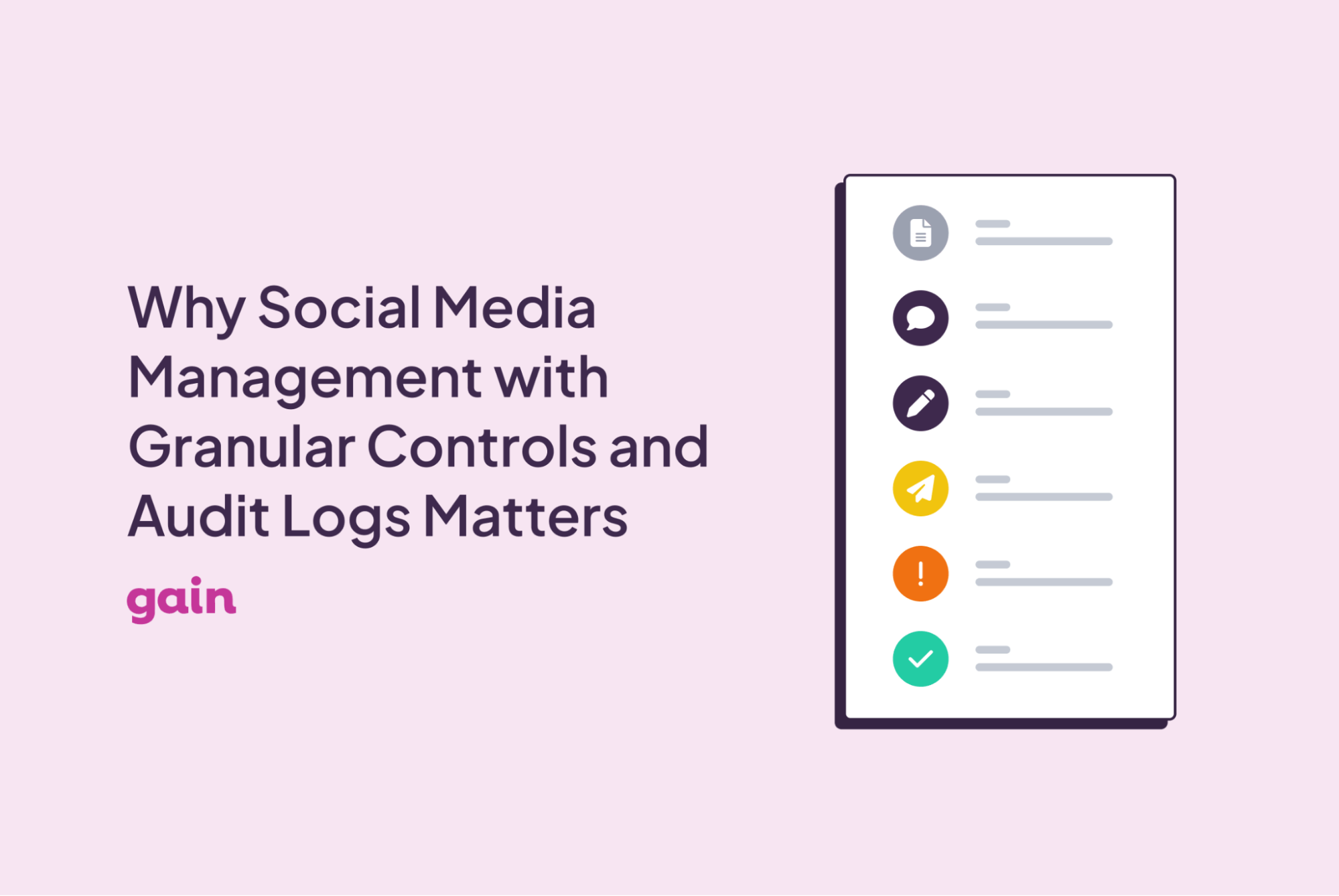
An audit log is a timestamped record of every action taken on a piece of content: who created it, who edited it, who requested changes, who approved it, and when each of those things happened. It’s the paper trail for your entire content workflow.
That might sound like a compliance formality, but audit logs serve a much more practical purpose for day-to-day social media management.
When a client claims they never approved a post, you have a record showing exactly when they clicked approve and on which version. When something goes live that shouldn’t have, you can trace back exactly where the process broke down.
Audit logs also create accountability across the team. When people know their actions are being recorded, they’re more careful. Plus, for teams in regulated industries, such as finance, healthcare, and legal, audit logs aren’t just useful; they’re often a legal requirement.
But even for teams that don’t face that level of scrutiny, having a documented record of every approval decision protects the agency, the brand, and the client relationship.
The Real Cost of Managing Social Without Them
Here’s what social media management typically looks like without granular controls and audit logs.
Feedback is scattered across email threads, Slack messages, and comment sections. Nobody’s sure which round of revisions is the current one. Content gets approved informally with a “looks good!” in a group chat, and then published without a formal sign-off. When something goes wrong, there’s no record to refer back to. The blame gets passed around because no one can prove what happened.
From an access standpoint, the problems are similar. When everyone has the same level of access, things slip through. Someone publishes content for the wrong client. A draft that wasn’t ready gets sent live. A new team member accidentally deletes a post that was scheduled for a campaign launch.
These aren’t hypothetical edge cases. They’re the everyday reality for teams that haven’t set up proper controls — and the cost adds up fast, both in time spent fixing mistakes and in the trust you lose with clients when they happen.
What to Look for in a Social Media Management Tool
Not every social media management tool handles controls and audit logs the same way. When you’re evaluating options, here’s what you need to pay attention to:👇
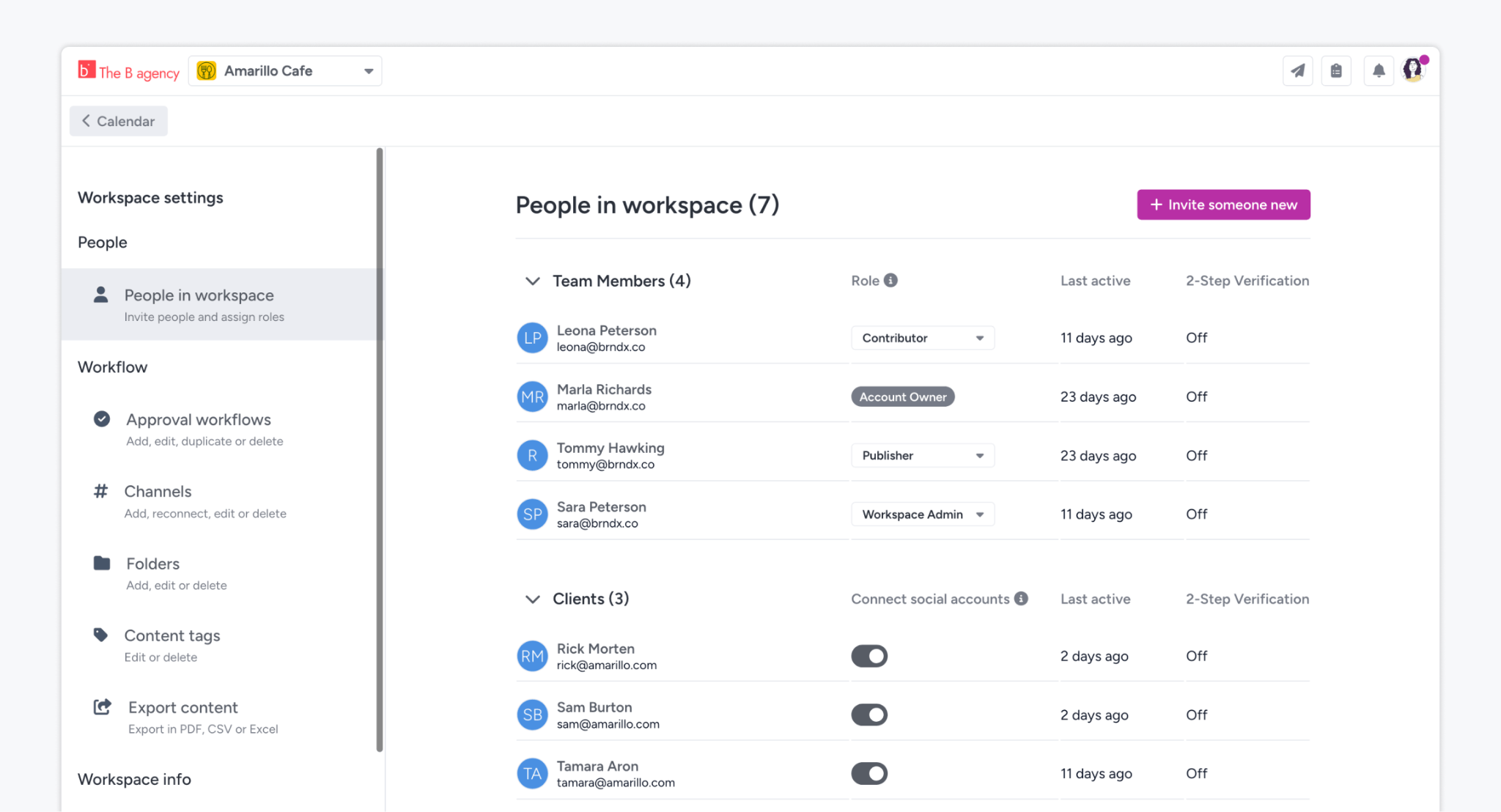
- Role-specific permissions. You should be able to assign roles that reflect how people actually work in your team (creators, reviewers, approvers) and control what each role can see and do. Workspace-level access control matters here too, so team members only see what’s relevant to their work.
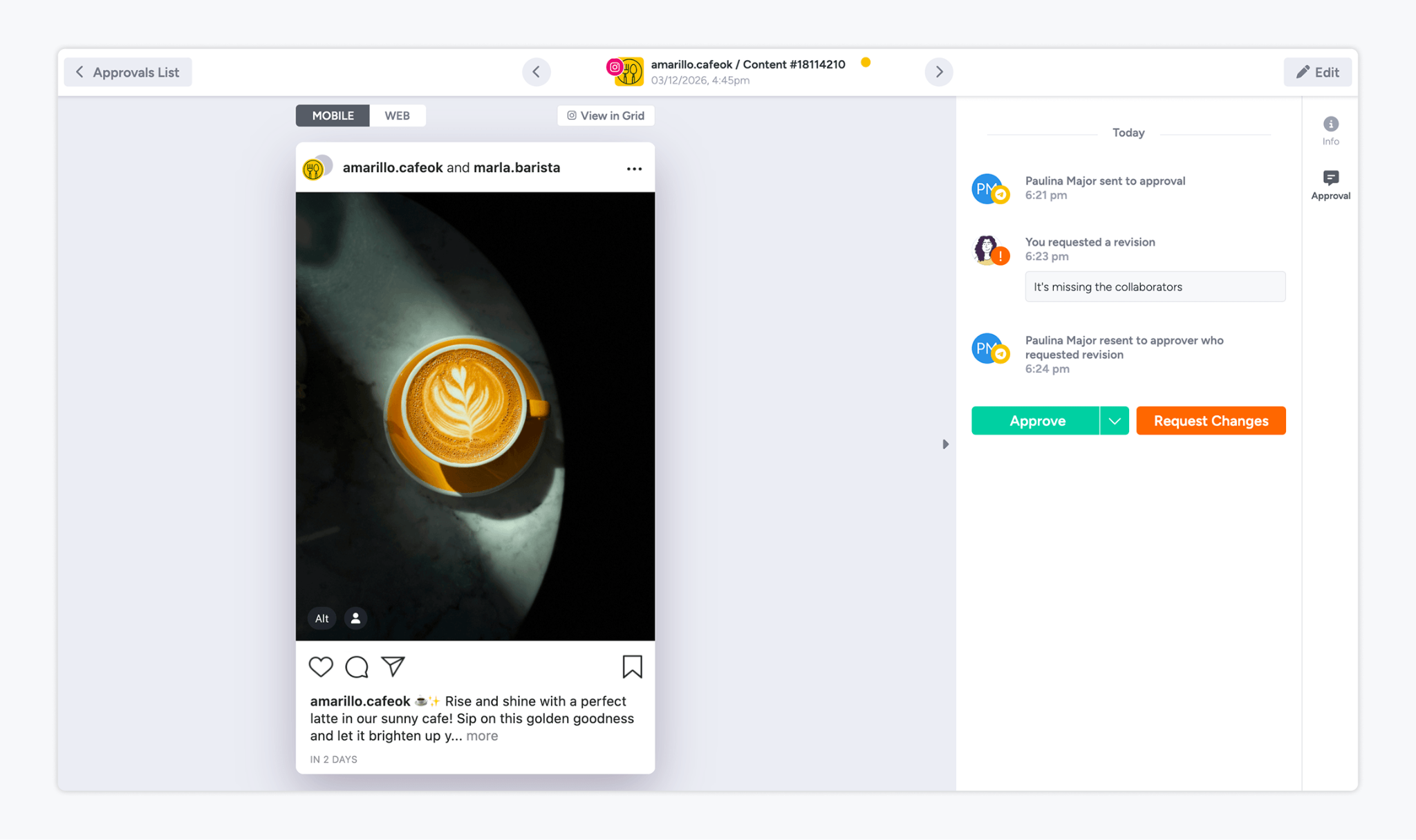
- Structured content approval workflows. Controls only work if your approval process is built into the tool itself, not bolted on through email or chat. Look for tools that move content through defined review stages automatically, with notifications and reminders so nothing gets stuck.
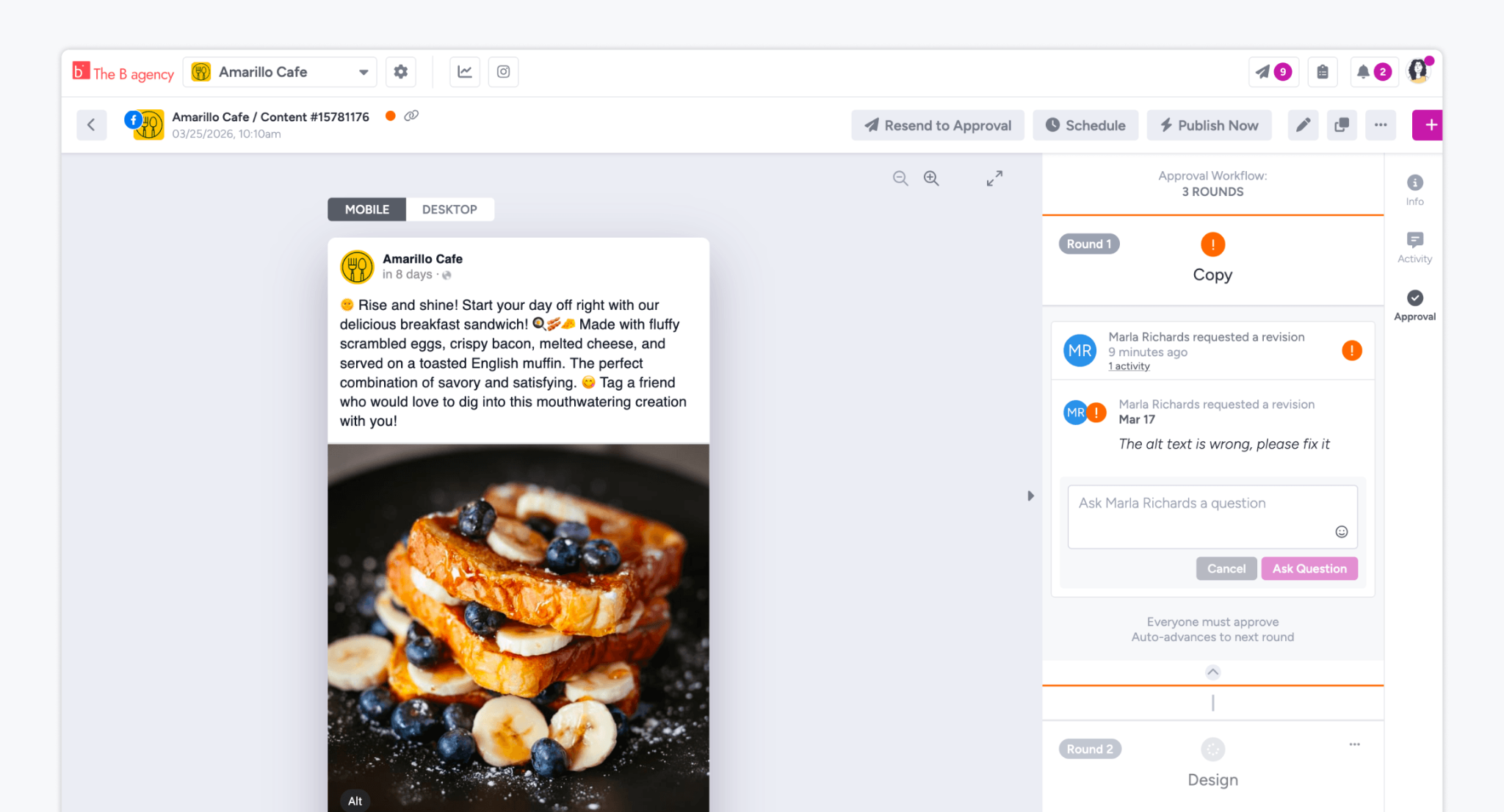
- Complete activity and approval records. Every revision, change request, comment, and approval decision should be logged with a name and timestamp, right next to the content it covers. Bonus points if those records are downloadable.
- A guarantee that only approved content goes live. This sounds obvious, but a lot of tools still make it possible to accidentally publish unapproved content. The best tools make that structurally impossible.
How Gain Handles Granular Controls and Audit Logs
Gain is a content approval platform built around the idea that every piece of content needs a clear, documented path from creation to publication — and that nothing should go live without the right people signing off.
On the permissions side, Gain lets you assign role-specific permissions across workspaces, so team members, clients, and stakeholders only see and do what they’re meant to. You can create separate workspaces for each brand or client, with their own calendars and content channels, and control exactly who has access to each one.
On the audit side, Gain keeps a full history of every action taken on every piece of content: changes, comments, tasks, change requests, and approvals, all logged with names and timestamps. One of our customers, Content Marketing Specialist Cooper Chwialkowski, said Gain’s timestamped audit trail “ended the conversation every single time” when clients questioned content that had already gone live.
Content approval workflows in Gain are also fully customizable. You define who reviews content, in what order, and Gain moves content through each stage automatically — sending reminders when approvals are overdue so you’re not chasing anyone down. And once content is approved, Gain auto-publishes it to the right social channels.
FAQs
Yes, even small teams benefit from audit logs. If you’re managing content for even one client, having a record of every approval decision protects you in case of disputes and keeps your workflow accountable.
A good audit log captures who created a piece of content, every edit and change request made along the way, who approved it, which version was approved, and when each of those actions happened.
Yes. When permissions are set up properly, only users with publishing rights can send content live. And in platforms like Gain, publishing is tied directly to approval status, so unapproved content can’t go out at all.
Wrapping Up
The bigger your team is, and the more clients or brands you manage, the more you need a system that keeps everyone accountable and every decision documented. Granular controls and audit logs let you operate with confidence, rather than constantly putting out fires because the wrong piece of content went out.
If you’re ready to bring that level of structure to your content workflow, try Gain for free today (no credit card required)!