Your social posts are in Gain, moving through approvals. But the landing page? You emailed the URL to your client and you’re waiting. The HTML banner? It’s in a Slack thread. The email preview? You forwarded it and you’re not sure they opened it.
Gain is a universal content approval platform — one place where marketing teams get sign-off on every piece of content they create, not just social posts. Today we’re taking another step toward that with the launch of Embed.
What Embed Is
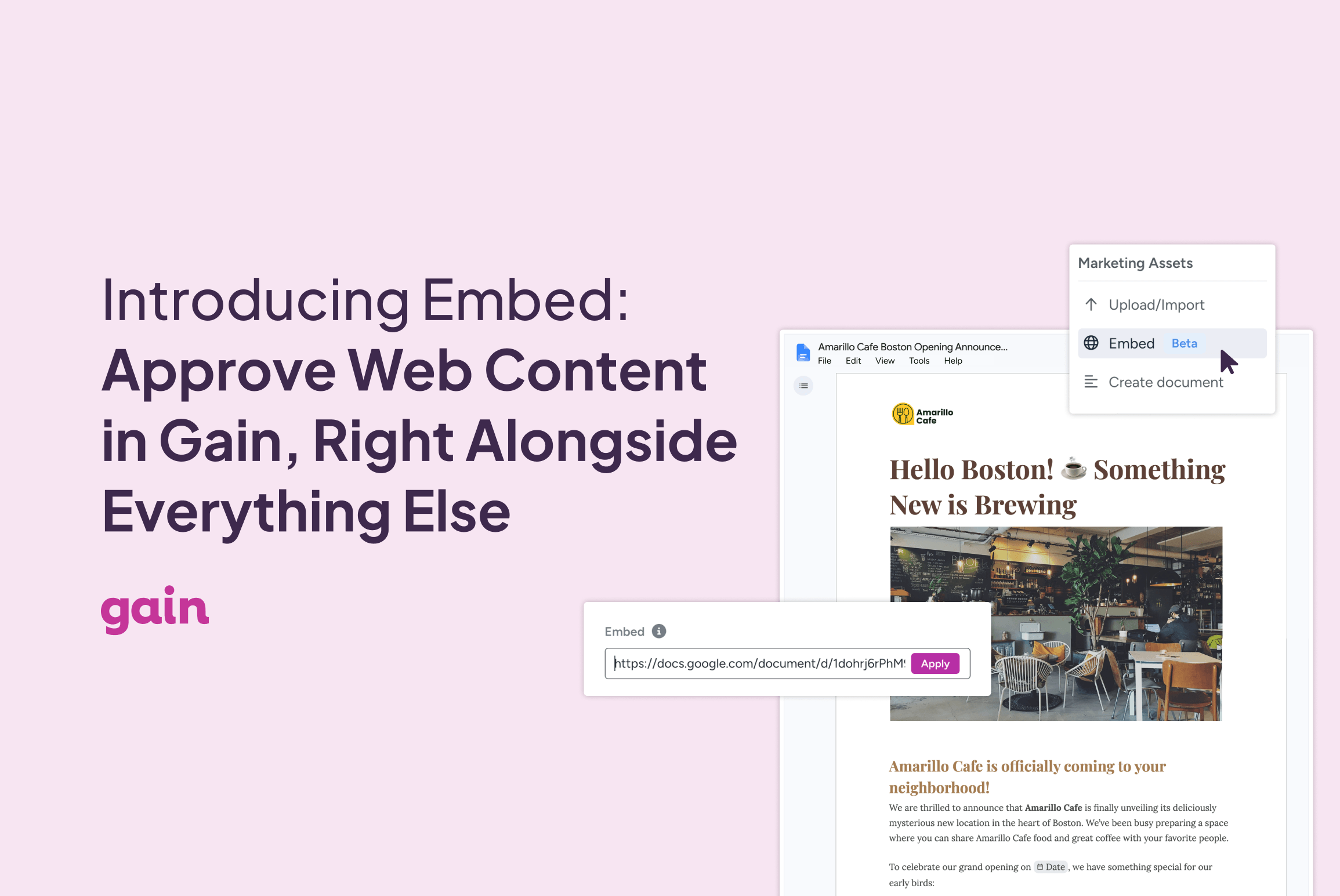
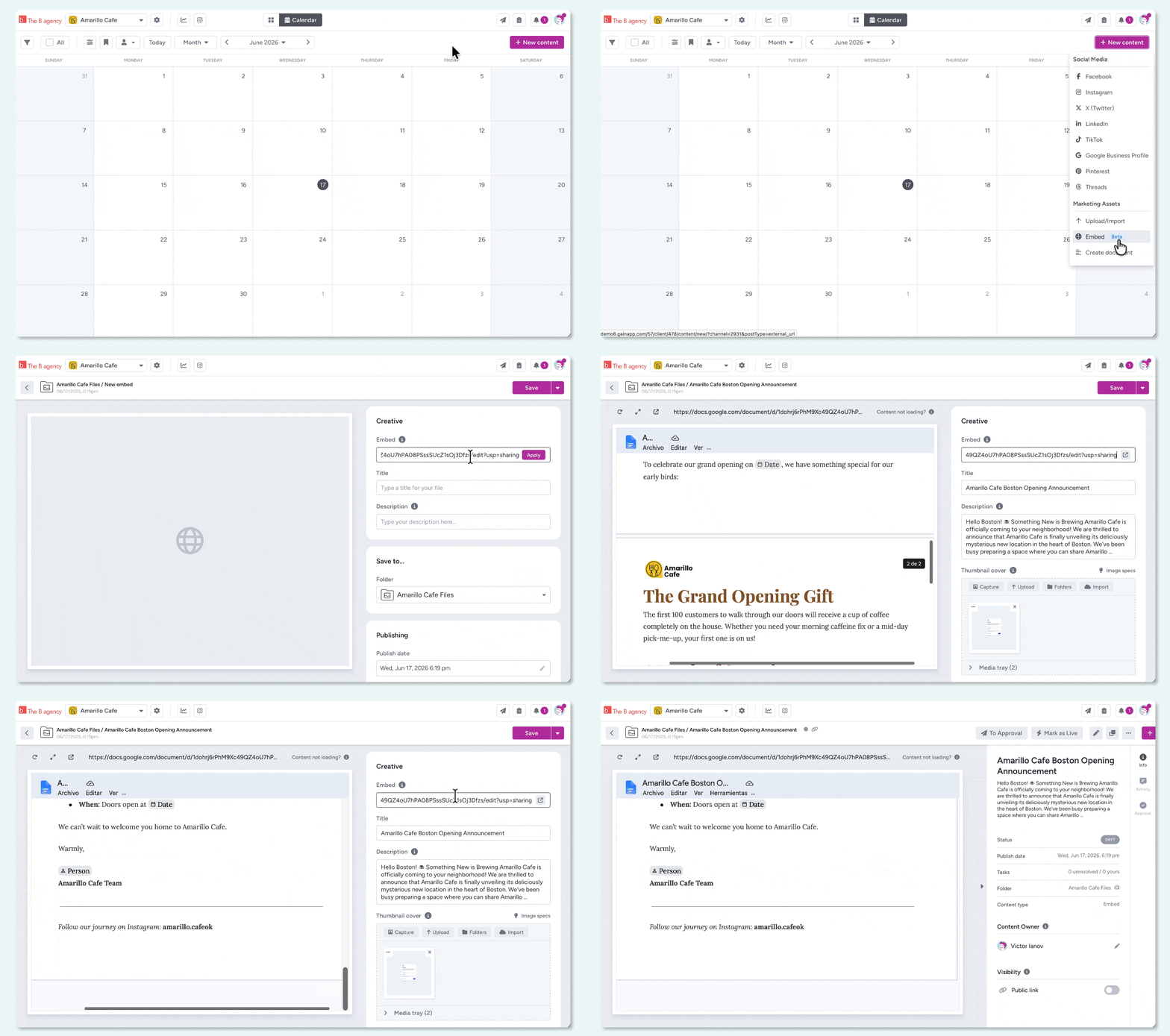
Embed is a new content type in Gain. Paste any public URL into Gain and it renders inline, right alongside your social posts, files, and documents. Your clients and stakeholders review it and approve it (or request changes) using the same workflow they already use for everything else.
That’s it. No new tools, no extra logins, no separate approval threads for different types of content.
Approve Landing Pages, Email Previews, Ad Banners, and More
The short answer is: anything on the web that can be displayed in a browser frame.
In practice, that includes a lot of the content marketing teams regularly need approvals for:
Landing pages and microsites. When a campaign launches, the landing page needs a sign-off just as much as the social posts pointing to it. Now that approval can happen in the same place, at the same time, in the same workflow.
HTML ad banners and rich media. If your ad specs are hosted on a test URL (common with programmatic creative), paste it in. Your client sees the actual ad, not a screenshot.
Email previews. Most email service providers generate a hosted preview link before you hit send. Drop that URL into Gain and get your client’s approval before the campaign goes out.
Google Docs, Sheets, and Slides. If the share settings are public, these render directly in Gain. Briefs, decks, copy docs — whatever lives in Google Workspace and needs a sign-off before it leaves the team.
Hosted PDFs and document viewers. If it lives at a URL, it works.
Prototypes and demos. Most prototyping tools generate shareable URLs. Your client can review the prototype as part of the broader content approval, not as a detached link in a separate email.
The common thread: if it has a URL and your client needs to approve it, Embed can handle it.
Why This Matters
Marketing teams rarely produce just one type of content. An agency managing a client’s product launch might be coordinating social posts, a landing page, a paid ad banner, an email, and a campaign brief — all at once, all needing stakeholder sign-off before anything goes live.
Until now, Gain handled the social posts beautifully. The rest still required a separate tool, a separate workflow, or just a long email chain.
With Embed, the entire set of assets can live in one approval queue. Your client logs into one place and approves everything together. Your audit trails showing who approved what and when are neatly organized in the same place. No detective work. No “did you see the email I sent with the preview link?”
Gain is a universal content approval platform. Social posts, files, documents, and web content — it all moves through the same approval workflow, tracked in one place.
A Note on What Embed Is (and Isn’t)
For social posts, PDFs, images, presentations, and other marketing files, Gain works as a full proofing tool: reviewers can annotate directly on files, versions are tracked, and the complete approval history is documented.
Embed works differently. It’s an approval checkpoint for web content, not a deep proofing environment. Purpose-built website proofing tools let reviewers leave pinned comments on specific page elements, capture technical metadata, and handle developer handoff. Embed simply renders the page so your client can see it and make one decision: this is ready to go, or here’s what needs to change.
If your team needs deep visual annotation on websites during development, a dedicated tool is the right fit for that stage. But for the final sign-off (does this page get the green light?), Embed keeps that decision inside the same workflow as your social posts and files.
Embed Is in Beta
We’re launching Embed as a beta feature. It works, and we think it’s genuinely useful today. But we know there will be rough edges. Some URLs may not render perfectly in every browser or on every device, and we’re still learning how Embed performs across the full range of URL types our customers use.
Your feedback will directly shape how we improve it. If something doesn’t render the way you’d expect, or if you have ideas for how Embed could work better for your team, we want to hear it.
Questions or feedback? Check out our help article on Embed or reach us at support@gainapp.com.
See why thousands of marketing teams use Gain to approve their content
Stop chasing approvals across email and Slack. Try Gain for free and see how much easier content sign-off can be.